A Synthesia alternative for piano that runs in the browser
Synthesia details checked on 2026-08-06. Klaviero's numbers are measured on every build.
This page is about Synthesia the falling-notes piano software at synthesiagame.com, made by Nicholas Piegdon. It is not about Synthesia the AI video-generation company, which is a different business with the same name and about 25 times the search volume. If you came here for AI avatars, you are on the wrong page.
Klaviero needs a MIDI keyboard and Chrome, Edge, Firefox or Opera on a desktop or laptop. It cannot run in Safari or on an iPhone or iPad, because Apple does not support the Web MIDI API and requires every iOS browser to use Safari's engine. Full requirements.
The short answer
Klaviero is a free-to-start alternative to Synthesia, the piano software that runs in a browser and scores you note by note on a real MIDI keyboard. Synthesia is not a bad product and this page does not pretend it is. What follows is where each one actually wins, so you can pick on something other than a headline.
Side by side
| Klaviero | Synthesia | |
|---|---|---|
| Where it runs | Chrome, Edge, Firefox or Opera, plus a macOS app | Windows, macOS, iPad, Android |
| Install | None | Yes |
| Price | Free tier, then paid | 39 dollars once, not a subscription |
| Scoring | Combo ×1 to ×6, FEVER at 25, PERFECT to MISS, S to D grade | Practice feedback, no rhythm-game scoring layer |
| Built-in library | 4,296 measured classical charts | 100+ included, more sold separately |
| Your own MIDI files | Yes | Yes |
| Waits for the right note | Yes, practice mode | Yes |
| One hand at a time | Yes | Yes |
| Slow it down | 0.25× to 4× | Yes |
| Lighted keys | No | Yes |
| Sheet music view | Yes, a toggle on every theme | Yes |
| Note data published | Note count, duration, peak notes per second | No |
Where Synthesia is the better choice
Lighted-key support. If your keyboard has LED keys, Synthesia drives them and Klaviero does not.
Ownership. 39 dollars once, forever, on every platform at the same time. There is no monthly equivalent of that and this page will not pretend otherwise.
iPad. Synthesia has a native iPad app. Klaviero cannot run on an iPad at all, because Apple does not support Web MIDI and requires every iOS browser to use Safari's engine.
Where Klaviero is
Nothing to install. Open a URL, plug in the keyboard, play. No download, no licence key, no version that is behind on one of your machines.
It is scored like a game. Every note is judged PERFECT to MISS, the combo climbs to ×6, FEVER lands at 25, and the run ends with a grade. That is a different reason to sit down than practice feedback is.
The library is measured, not estimated. Every one of the 4,296 charts publishes its note count, its length and its peak notes per second, measured from the note data. Nobody else publishes that, so nobody else can be checked on it.
Try it on this one
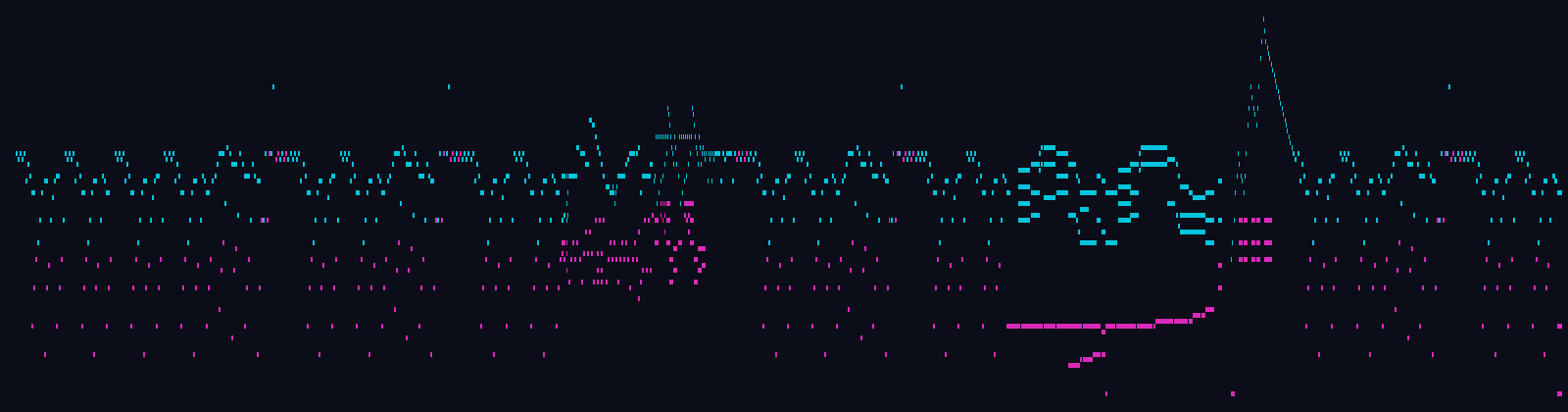
Für Elise (complete) · L. van Beethoven · 1,041 notes · 2:45 · peak 9.3 n/s. It is on the free tier, so it needs no card. Plug the keyboard in and press play.
What switching costs you
Nothing to uninstall and nothing to migrate. Klaviero reads your own MIDI files too, so anything you already had still plays. The free tier covers a piece from every composer group and needs no card, which is enough to find out in ten minutes whether the scored format is the thing you were missing.